Story Progression Fix
We have released a fix for the story progression bugs some players have encountered. Since it’s a specific issue affecting a fraction of the community, we are releasing this fix through a dedicated beta branch of the game that needs to be activated for the fixes to take effect. If you’re facing issues related to the story progression, please follow these instructions to install the fix. If you don’t experience these issues, you don’t have to install this branch.🛠🎮
How to install the fix:
Back up your save files:
Windows:
%UserProfile%\AppData\LocalLow\Mandragora\Mac:
~/Library/Application Support/Mandragora/Restory/Linux/Steam Deck:
~/.local/share/Steam/steamapps/compatdata/3812600/pfx/drive_c/users/steamuser/AppData/LocalLow/Mandragora/
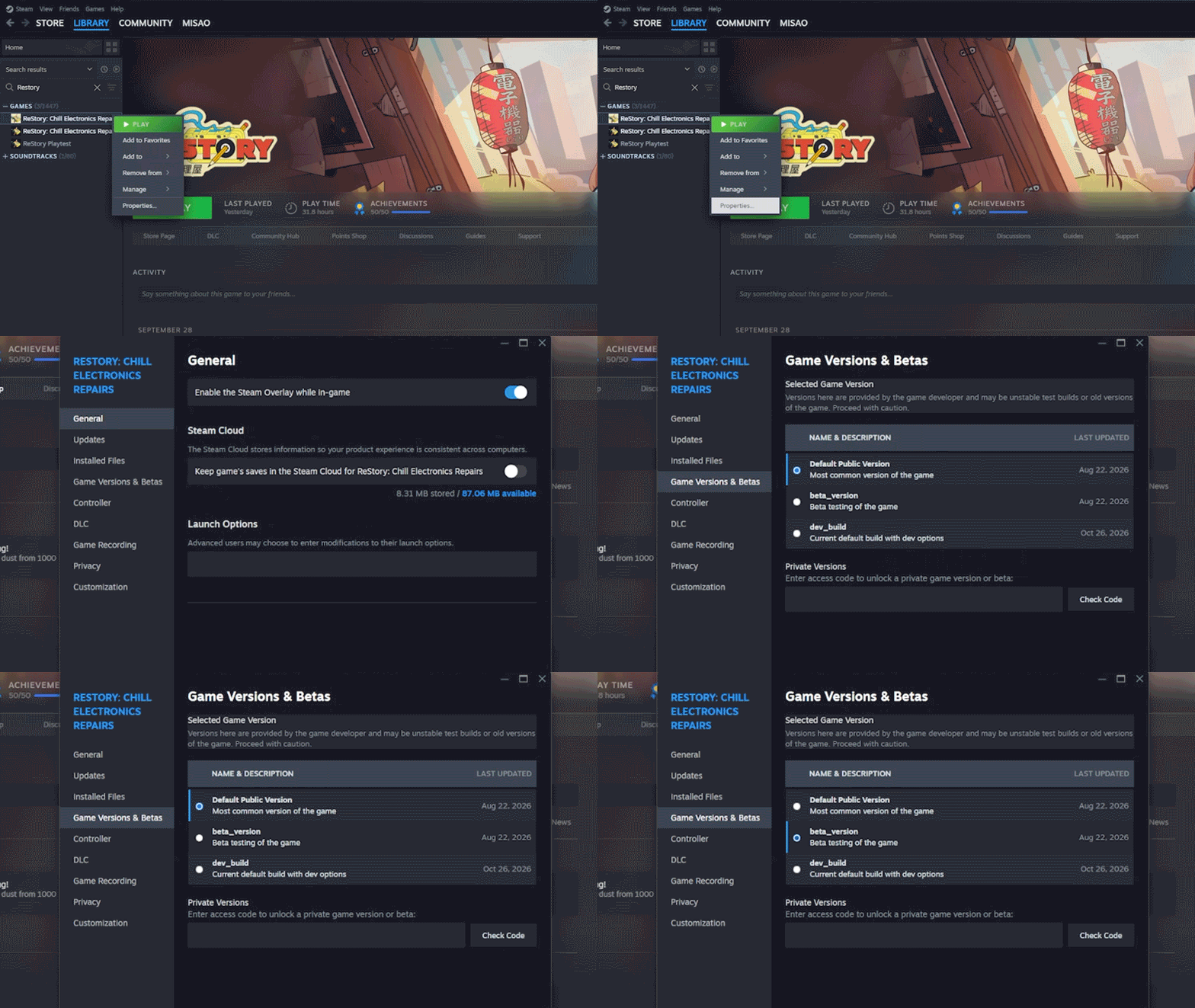
Right-click ReStory: Chill Electronics Repairs in your Steam Library and select Properties. Then navigate to the Betas tab and under Beta Participation, select [beta_version]. The game title in your library will update to reflect
[beta_version]once selected.Launch the game, play past the blocked story event until it resolves, then save and exit.
Head back to Properties > Betas and set Beta Participation back to None (Default).
If the issue persists after these steps, please fill out the form below so we can investigate further.
Report a bug
E.g., glitches, unintended behavior, visual errors, or broken mechanics.
Share as many details as you can, including how to reproduce the issue
Please include your Restory folder and any screenshots/videos